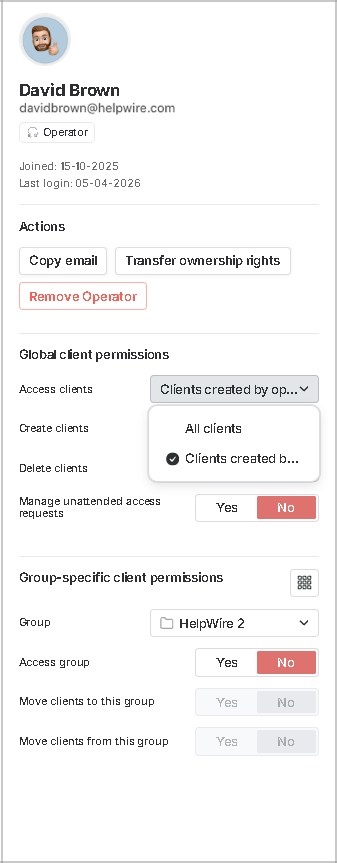
Manage two types of client-related permissions for Operators (available to Organization Owners). To open the permission settings, click Operators in the general organization settings and then click the required Operator’s name.
In global client permissions, the Owner can allow or disallow an Operator to create or delete clients, choose to let them access all the organization’s clients or only those added by the Operator, and manage an Operator’s unattended access permissions.
In group-specific client permissions, the Owner can choose which client groups an Operator can access, and whether to make it possible for the Operator to move clients between groups.