Knowledge Base
Contact support
Quick Connect
Sign in
Start for free
Content and Search
Establishing a secure support session with HelpWire Quick Connect
Creating a HelpWire account
On-demand remote support
Add a new client
Share the client app link
Request remote access
Connect remotely
Disconnect from the client
Unattended remote access
Requesting unattended remote access
Establishing unattended support sessions
Withdrawing unattended access rights
Revoking unattended access on the client side
Managing your client list
Сlient list
Edit a client profile
Group clients
Associating multiple workstations with one client
Remove a client profile
Managing your organization
Invite Operators
Remove Operators
Switch organization
Join an organization as an Operator
Transfer ownership rights
Manage Operators’ permissions
HelpWire Operator Application
Run multiple remote sessions at a time
Install the HelpWire Operator app
HelpWire Operator app menu
Remote connection options
Access remote workstations with admin privileges
Transfer files during a remote support session
Supported operating systems
Uninstall HelpWire Operator
HelpWire Client Application – Tutorial
Getting started with HelpWire Client
Granting remote access
Disconnecting the Operator
Supported operating systems
Granting permissions for remote interaction and clipboard access on Linux (Wayland)
Granting screen recording and remote control permissions on macOS
HelpWire Client settings
Starting HelpWire Client on Linux
Web portal settings
Organization settings
Account settings
Changelog
What’s new – 2026
What’s new – 2025
What’s new – 2024
What’s new – 2023
Troubleshooting – saving logs
Roadmap
Video guides
View all
How to start a remote session in HelpWire
How to set up unattended access in HelpWire
Content and Search
Establishing a secure support session with HelpWire Quick Connect
Creating a HelpWire account
On-demand remote support
Add a new client
Share the client app link
Request remote access
Connect remotely
Disconnect from the client
Unattended remote access
Requesting unattended remote access
Establishing unattended support sessions
Withdrawing unattended access rights
Revoking unattended access on the client side
Managing your client list
Сlient list
Edit a client profile
Group clients
Associating multiple workstations with one client
Remove a client profile
Managing your organization
Invite Operators
Remove Operators
Switch organization
Join an organization as an Operator
Transfer ownership rights
Manage Operators’ permissions
HelpWire Operator Application
Run multiple remote sessions at a time
Install the HelpWire Operator app
HelpWire Operator app menu
Remote connection options
Access remote workstations with admin privileges
Transfer files during a remote support session
Supported operating systems
Uninstall HelpWire Operator
HelpWire Client Application – Tutorial
Getting started with HelpWire Client
Granting remote access
Disconnecting the Operator
Supported operating systems
Granting permissions for remote interaction and clipboard access on Linux (Wayland)
Granting screen recording and remote control permissions on macOS
HelpWire Client settings
Starting HelpWire Client on Linux
Web portal settings
Organization settings
Account settings
Changelog
What’s new – 2026
What’s new – 2025
What’s new – 2024
What’s new – 2023
Troubleshooting – saving logs
Roadmap
Knowledge Base
Web portal settings
Organization settings
Organization settings
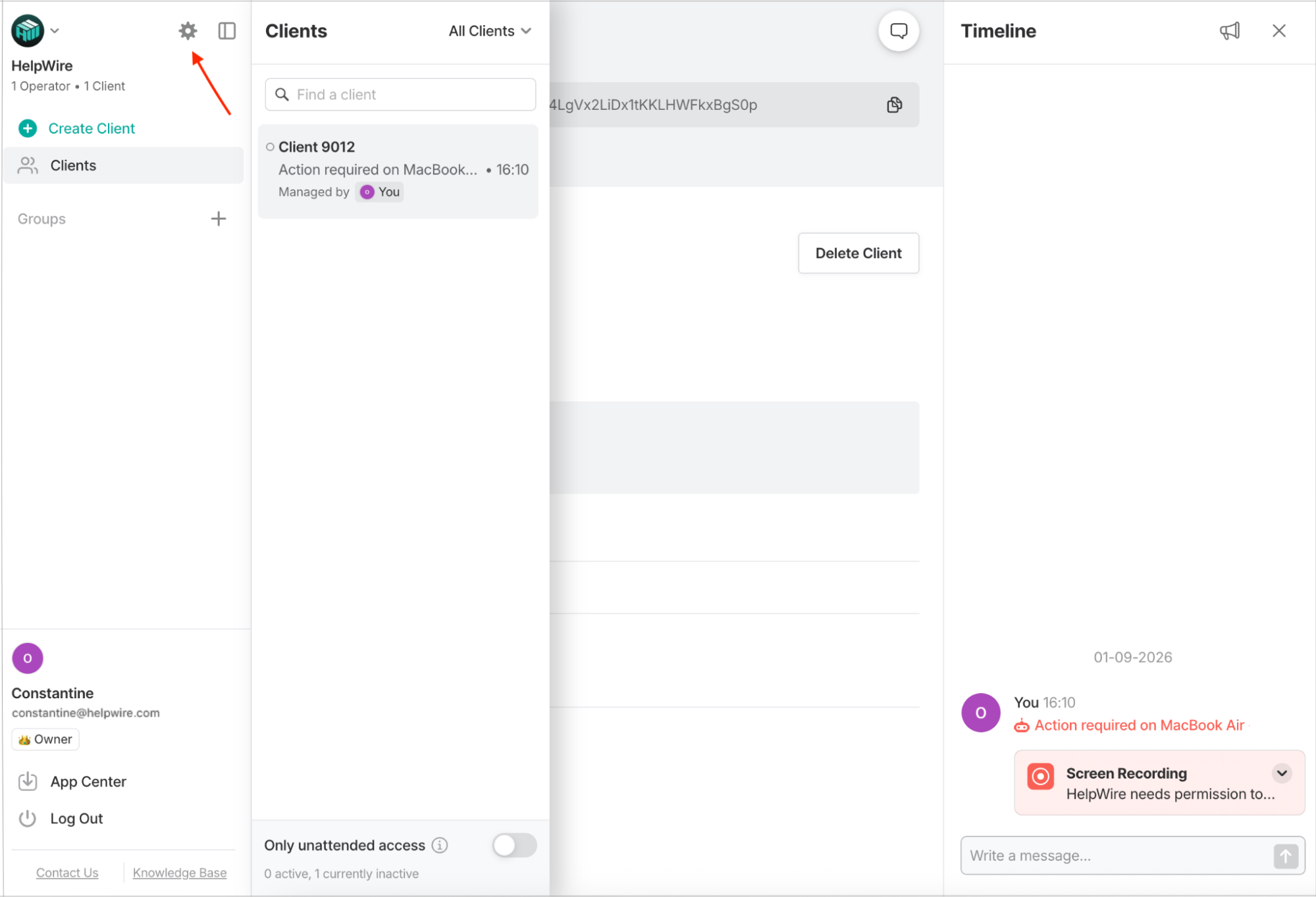
Access
Organization settings
by clicking the “Settings” icon in the left sidebar.
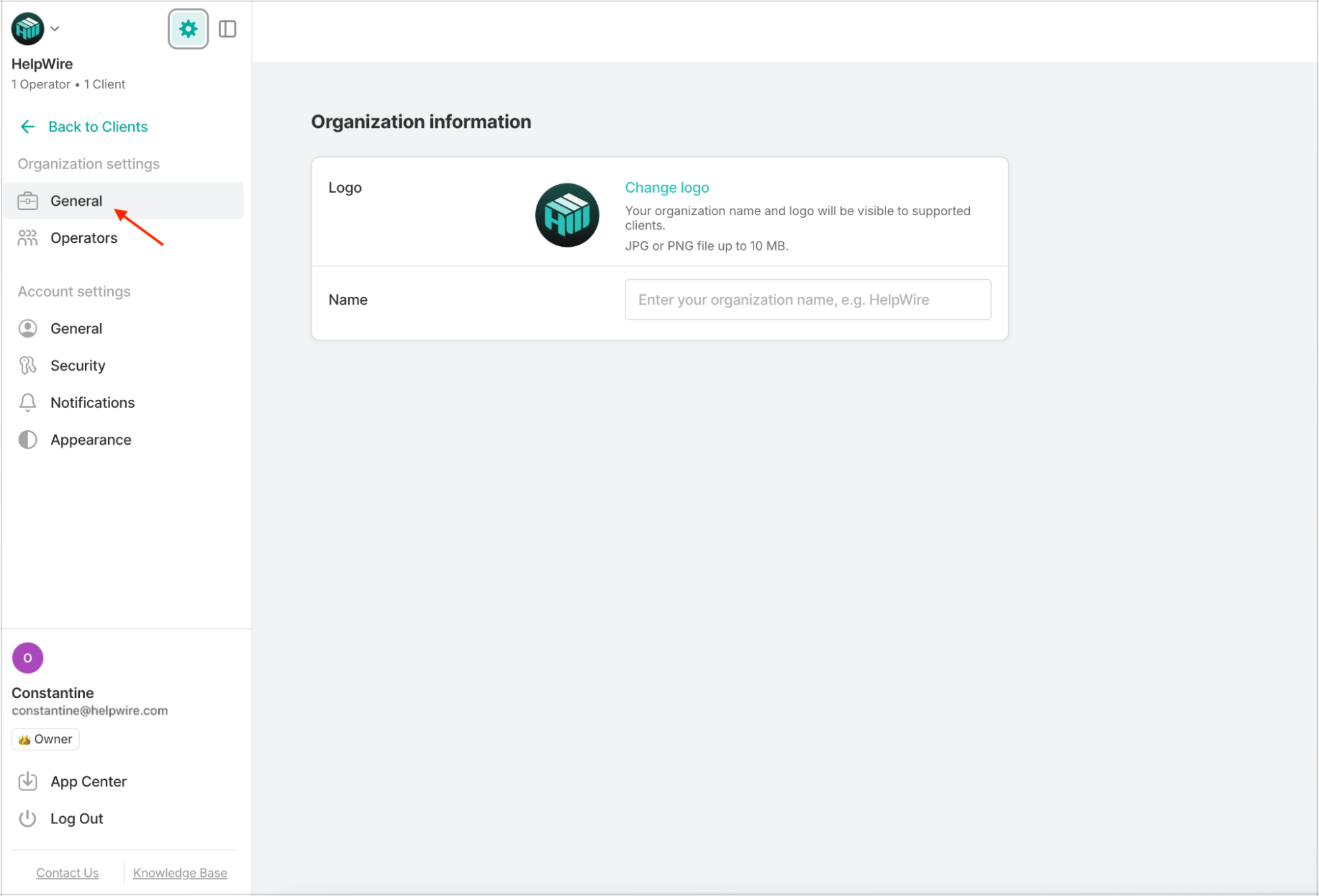
General
• Edit the organization information, including the logo and the name (Organization Owners only).
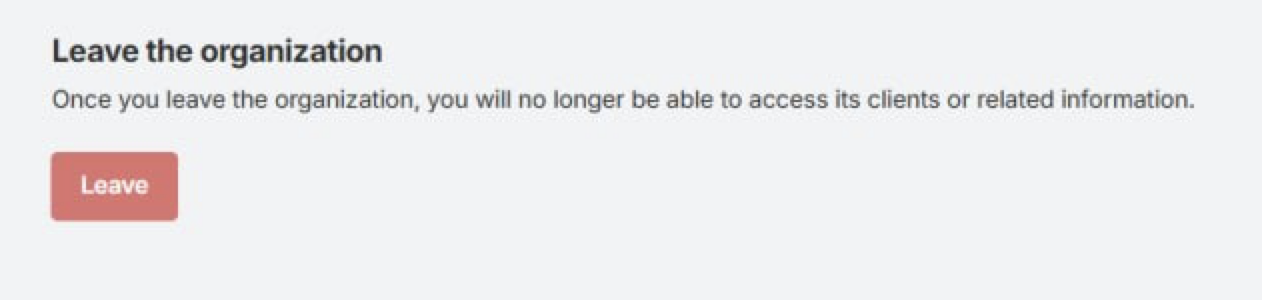
• If you’re an invited Operator, you can leave the organization you’ve been invited to.
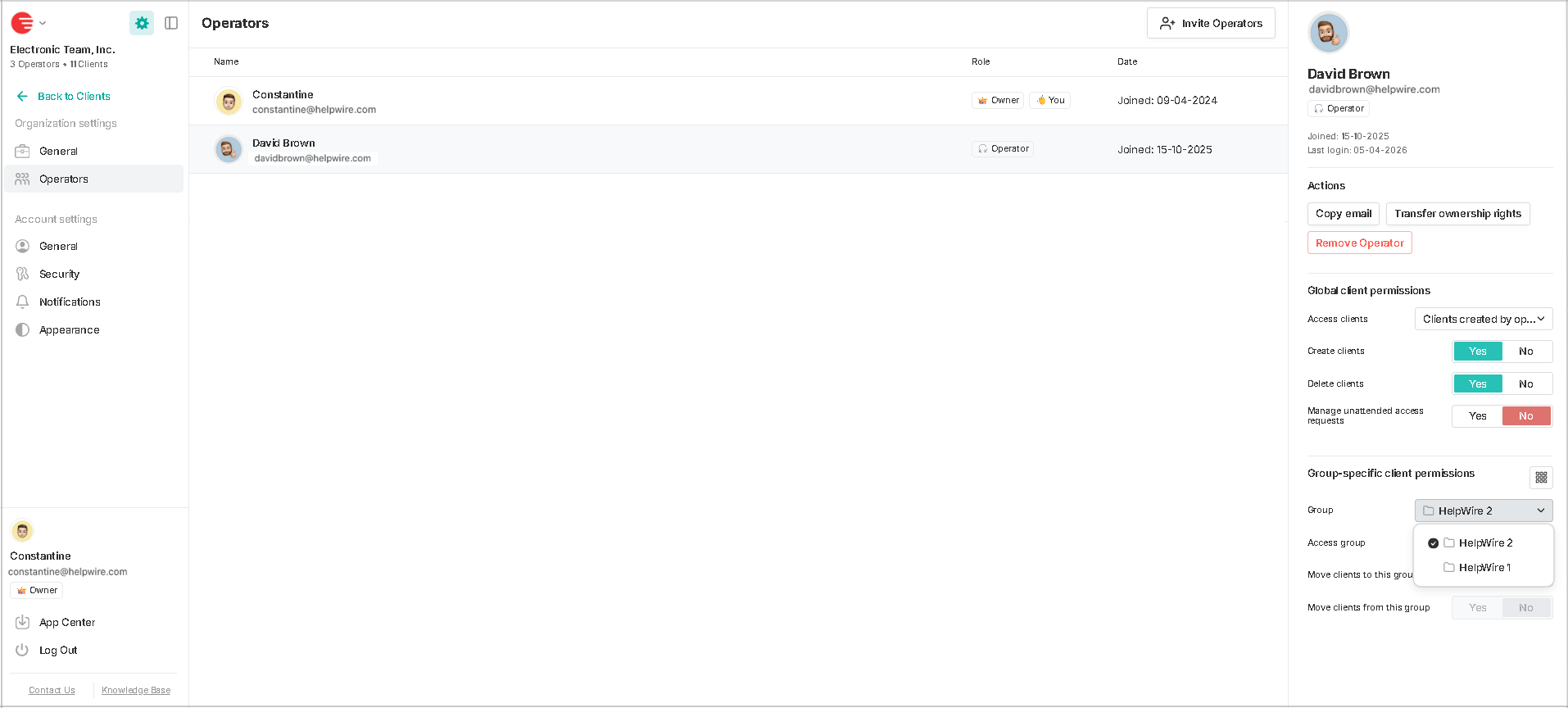
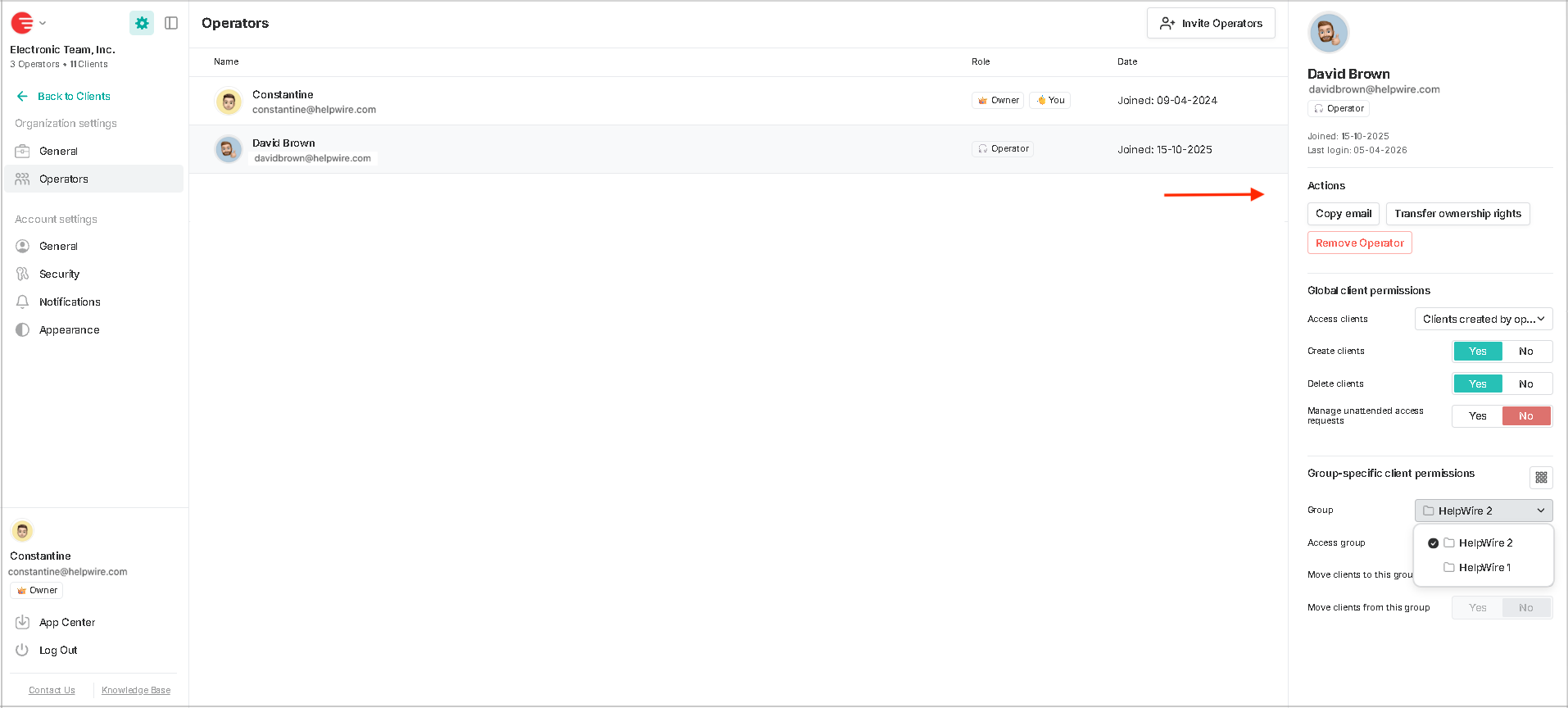
Operators
• View the list of all Operators currently in the organization.
• View an Operator’s personal details and available options in the right-side menu by clicking the Operator’s name on the list.
Updated September 29, 2026
Was this article helpful?
Yes
No
Didn’t find what you were looking for?
Contact Support