Join a company as an Operator

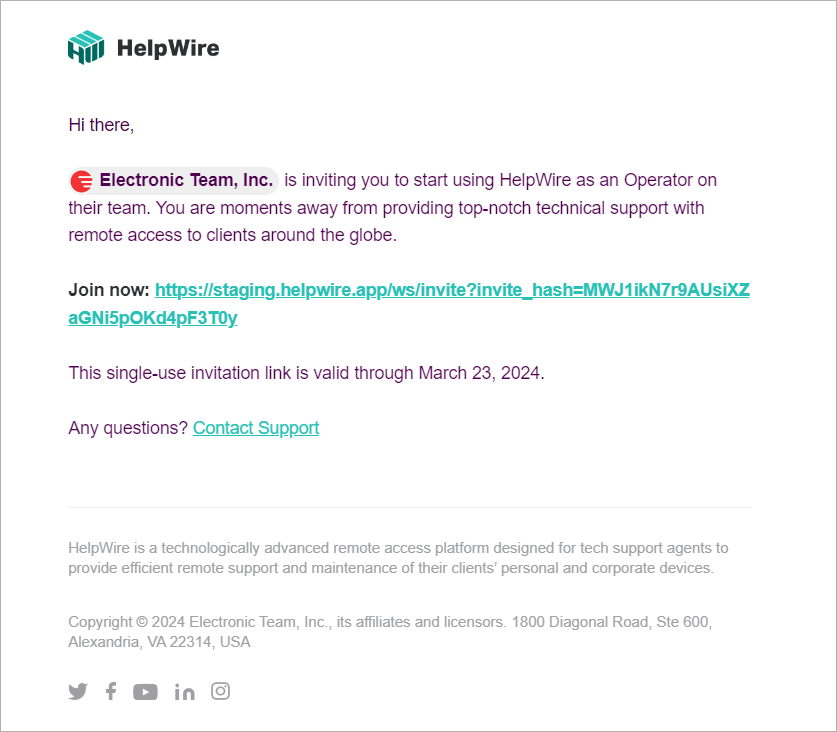
The Company Owner can invite others to join their team on HelpWire as Operators. The invitee will receive an email containing an invitation link.

Receiving an email with an invitation link
  1. If an invitee already has an account with HelpWire, they can follow the link and then accept or decline the invitation in their HelpWire account by selecting one of the respective buttons:
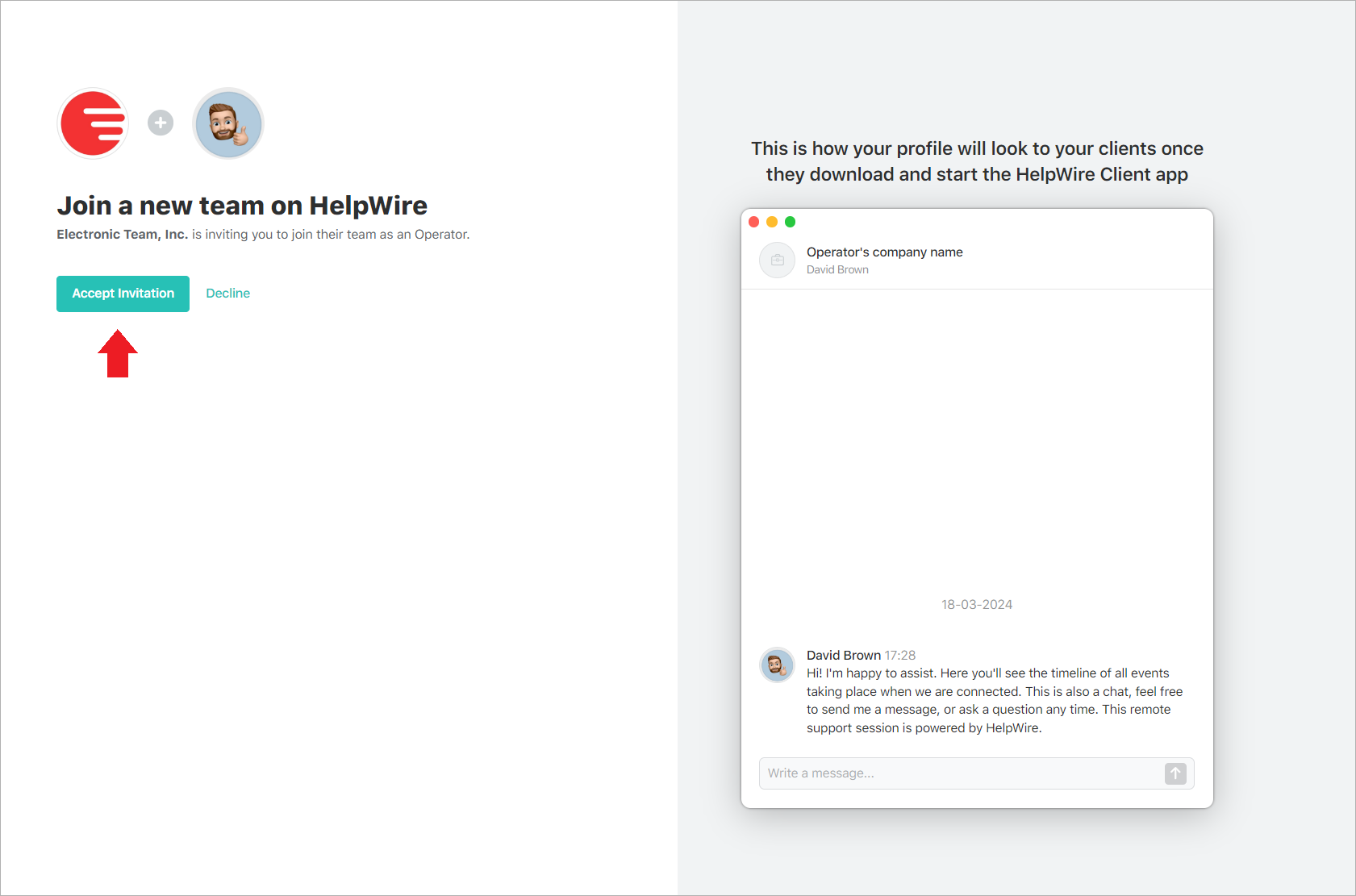
    Joining a new team on HelpWire
  2. If an invitee hasn’t been registered with HelpWire yet, they are offered:

    • To create their own HelpWire account:
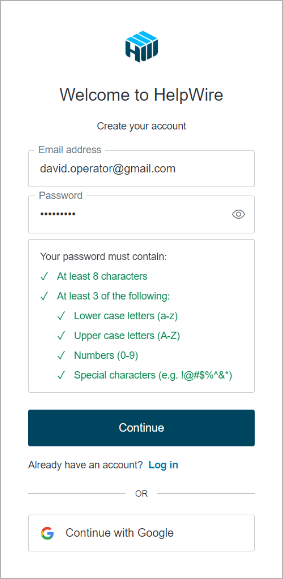
    Creating an account to join a new HelpWire team

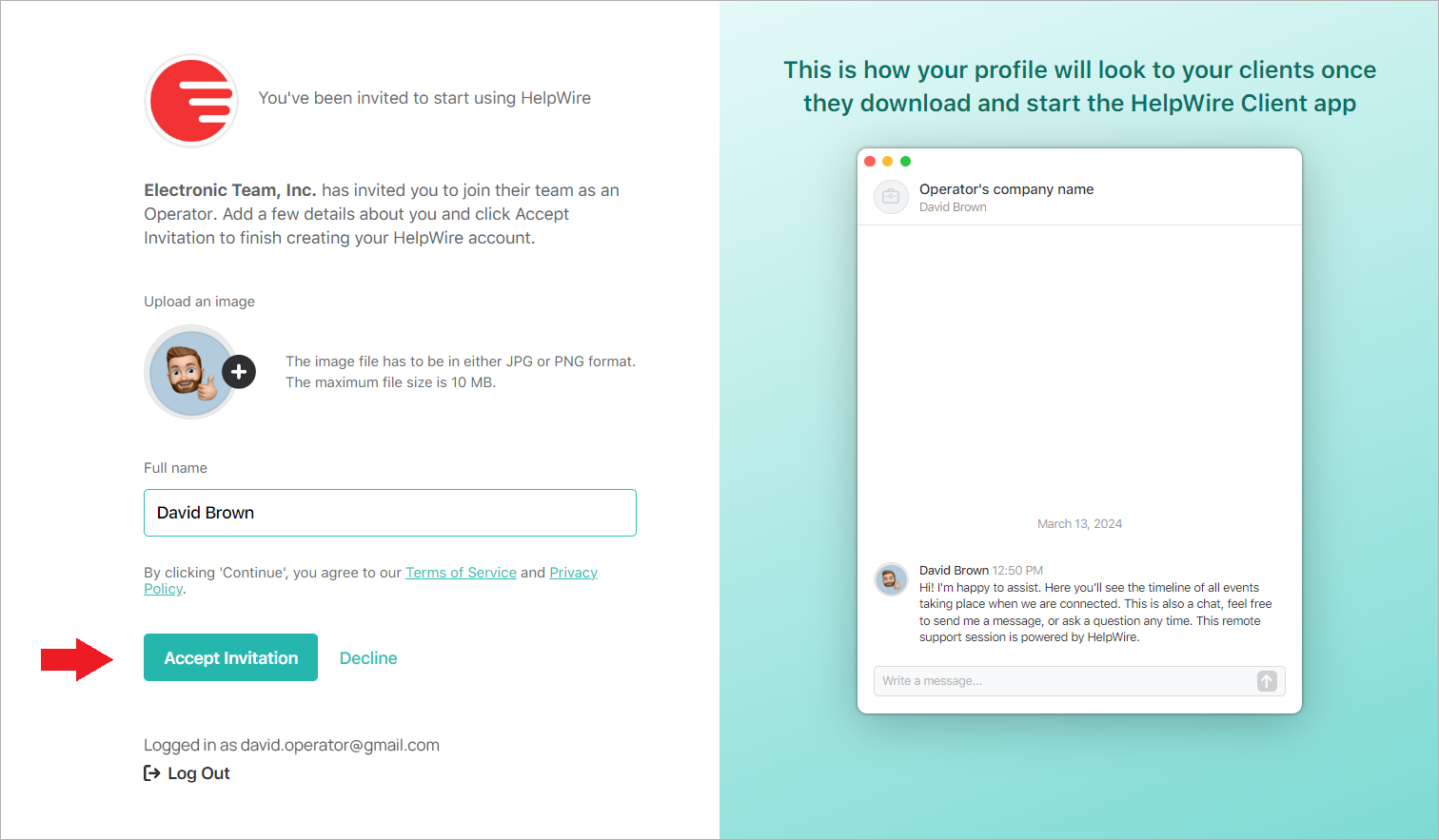
    • Add their name and photo:

    Accepting an invitation to join a new HelpWire team

    • Click Accept Invitation and start adding their clients or providing remote assistance to the existing clients of the company they’ve been invited to:
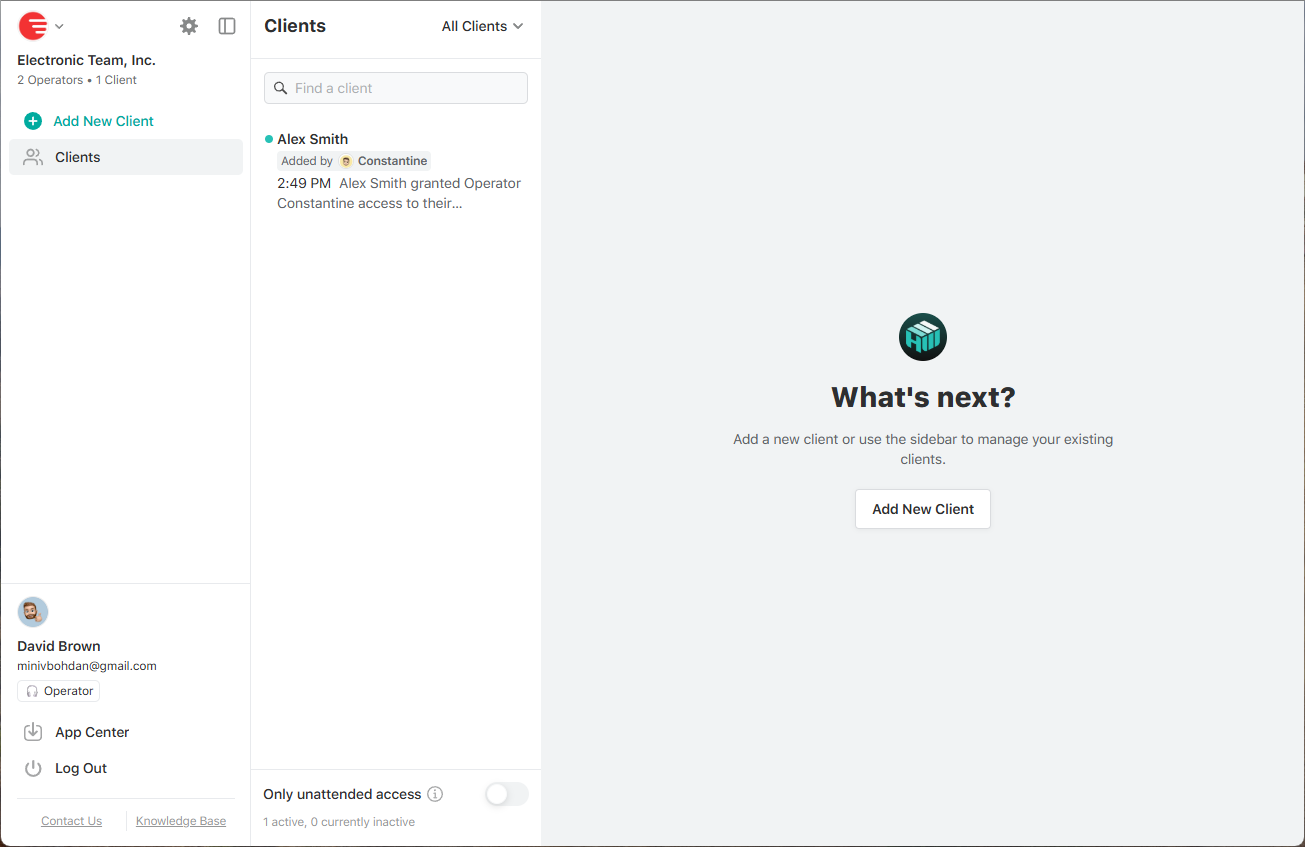
    Working as an invited Operator
Was this article helpful?

Didn’t find what you were looking for?

Contact Support